
Green angry face logo with "SecondSpeech To Text Refiner" text

SecondSpeech: Local Speech-to-Text with AI Refiner | MT Labs

SecondSpeech: Local Speech-to-Text with an AI Refiner

SecondSpeech is a Windows speech-to-text app that transcribes what you say in real time, then uses a local LLM to clean up filler words, grammar and structure before the text lands on the page. Everything runs on your machine. No cloud, no subscription, no data leaving your computer. Built for professionals, students with special needs and anyone who thinks faster than they type.

Why Speech-to-Text Still Matters in 2026

Most people think faster than they type. Research on typing speed and cognitive load consistently shows that writing by keyboard slows thinking, especially on first drafts. Speaking is faster, more fluid and often produces more natural sentence structure.

Cloud dictation tools have existed for years. Windows has built-in dictation. So does macOS. What they all miss is the second half of the job: turning what you said into what you meant. Humans speak in fragments, self-corrections, filler words and half-finished thoughts. Raw transcripts read like that and reading them back is painful.

SecondSpeech adds a local LLM refiner that cleans the raw transcript into proper written text: filler words removed, grammar corrected, sentences restructured for flow. The output reads like writing, not like a transcript.

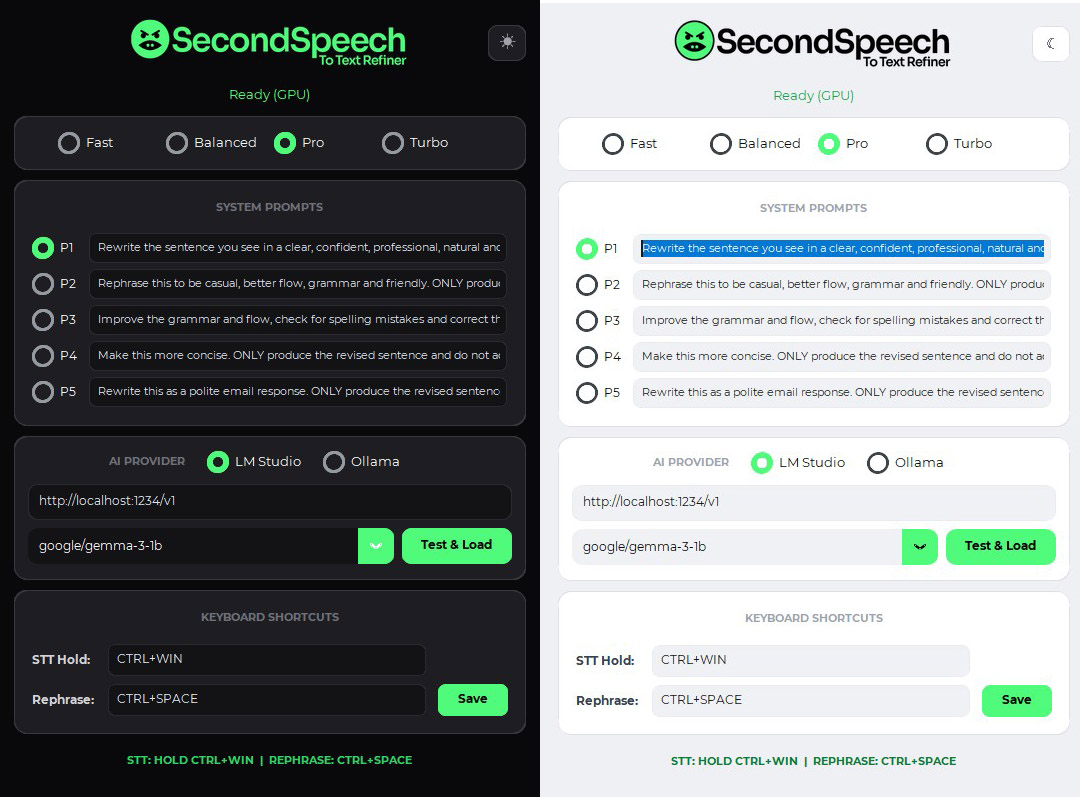
SecondSpeech app interface showing text-to-speech settings and prompts

Features

  • Press Ctrl + Win and start talking. A lightweight hotkey interface that works in any Windows app: Word, Outlook, browser, Slack, chat, notes.
  • Real-time transcription. Powered by a local Whisper-based engine, with latency under a second for most speech.
  • Built-in Text Refiner. A local LLM cleans filler words, fixes grammar and restructures raw transcription into proper written prose before output.
  • Tone and style controls. Switch between neutral, professional, conversational or academic output styles. The refiner respects the context.
  • Multilingual support. Other major languages supported by the underlying Whisper models.
  • Zero cloud dependency. Once installed, everything runs offline. Your speech never leaves your machine.
  • No subscription. One-time install. Updates delivered directly, no recurring fees.
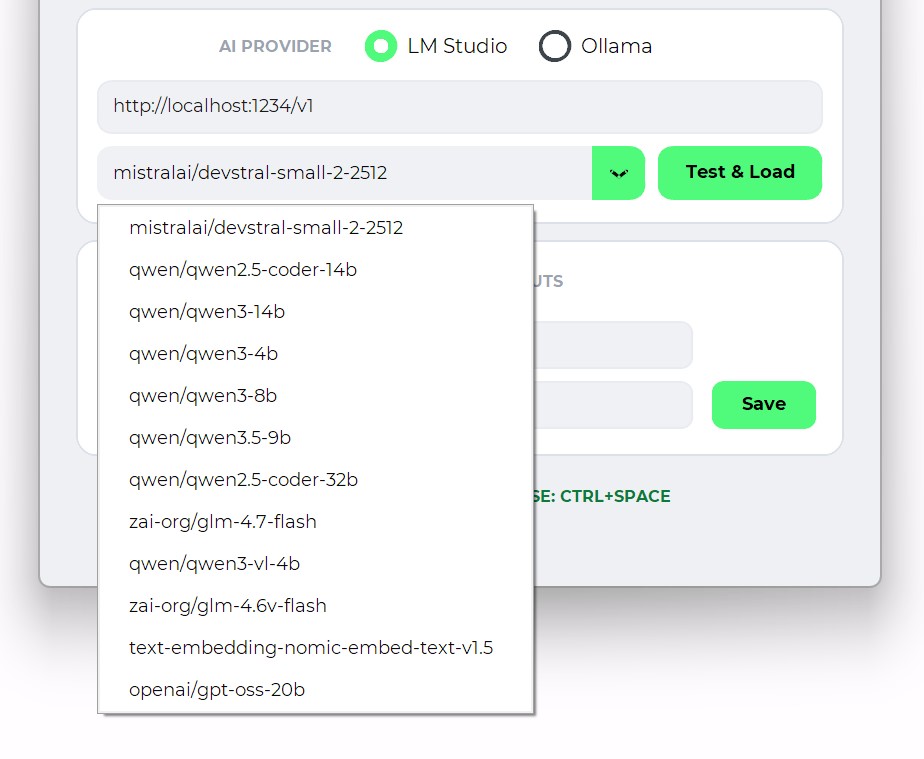
AI model selection interface with dropdown list of available models

Local Brain: Why Offline Matters

Cloud dictation services record, transcribe and store your voice on their infrastructure. For casual dictation, that is fine. For anyone speaking about client matters, business strategy, confidential research or personal material, it is not.

SecondSpeech runs the transcription and refinement on your local machine. Your voice audio is processed in-memory and discarded. Transcripts are generated locally. The refiner works on a model stored on your machine. There is no network round-trip, no server-side storage, no telemetry.

This matters for:

  • Legal, medical and financial professionals under client confidentiality
  • Business leaders dictating strategy or M&A memos
  • Researchers working with unpublished material
  • Parents and educators with minors in the same environment
  • Anyone who simply prefers their voice not living on a vendor’s server

Supporting Special-Needs Learners

One of the strongest use cases for SecondSpeech is support for students with learning difficulties. Children with dyslexia often struggle to type at a acceptable pace.

Teachers and parents working with these students report strong results when SecondSpeech is integrated into computer sessions:

  • Students speak their thoughts naturally, without typing with 1 finger, which slows progress
  • The refiner produces coherent written output that enhances the student’s sentence structure
  • Students see their own spoken thoughts as proper writing, which builds confidence

Because SecondSpeech runs offline, it works in classrooms with restricted internet access, in environments where cloud tools are not permitted and without the data-privacy concerns that come with cloud dictation tools for minors. 

Privacy and Data Handling

Specifically how SecondSpeech handles data:

  • Audio is captured into memory, transcribed locally and discarded within seconds
  • No audio recordings are saved unless you explicitly enable local logging for your own reference
  • No transcripts are sent anywhere. Transcription happens entirely on your machine
  • No telemetry. The app does not phone home with usage data
  • The refiner LLM runs on a model file stored on your disk. No API calls
  • Updates are delivered through signed installer packages, which you install only when you choose

Practical Deployment

Individual installation is a Windows installer. The app runs in the background with a small tray presence and activates on hotkey. For organizations deploying across a team, we provide silent installation packages and can pre-configure refiner preferences.

How It Fits Into the MT Labs Stack

SecondSpeech is one piece of our broader effort to put usable, private AI into the hands of Singapore businesses and professionals. For organizations already running AgentsCommand, SecondSpeech transcripts can feed directly into agent workflows: dictate a brief, watch it become a draft, an email or an action. For teams running our WhatsApp AI Agent, voice notes can be processed through the same local pipeline.

MT Labs helps companies across Singapore deploy AI tools they actually own. Private infrastructure, no recurring cloud subscriptions and a setup built around how your team already works. Most of our clients start with one use case, a WhatsApp agent, a document processor, a local assistant and grow from there. Get in touch and we’ll figure out the right first step.

Blue background with white icon resembling a speech bubble with a checkmark

Frequently Asked Questions

Which operating system does SecondSpeech run on?

Windows 10 and Windows 11. We ship a standalone executable, no installer dependencies beyond Windows itself. A Mac version is not available at this time.

Does SecondSpeech need an internet connection?

No. The speech recognition runs on a local Whisper-based engine and the text refiner uses a local LLM. Once installed, SecondSpeech works offline, which also means your speech never leaves your machine.

How is this different from Windows Dictation or Dragon?

Windows Dictation is a raw transcriber. Dragon is more accurate but cloud-dependent and expensive. SecondSpeech adds a local LLM refiner that cleans up filler words, fixes grammar and restructures what you said into proper writing, all offline.

Can students with special needs use it?

Yes, this is one of the main use cases we designed for. Students who struggle with typing, dyslexia, or motor impairments can speak freely and get coherent written output without fighting the keyboard. Teachers and parents have reported strong results in writing workflows.

What hardware do I need?

Any modern Windows PC with 16GB RAM handles it comfortably. A GPU speeds up the LLM refiner but is not required. Older machines can still run a smaller refiner model.

Is my voice data stored anywhere?

No. Audio is processed in-memory on your machine and discarded. No recordings, no transcripts, no telemetry. If you need an audit trail for compliance, we can configure optional local logging.

Chat with AI

Hello! I'm MTLabs AI, How can I help you today?