

Two cartoon characters, a woman and a man, stand side by side against a blue background

A WhatsApp AI Agent for your Business

A WhatsApp AI Agent for Your Business

Our WhatsApp AI Agent is a private, self-hosted assistant that runs on its own server. It remembers conversations, handles scheduled tasks, reads receipts with OCR, integrates with Google Calendar and Gmail, generates and edits images, and responds in voice or text. Fully owned infrastructure, no monthly subscription, no third-party access to your chats.

In Nov 2025, Peter Steinberger launched Clawdbot on Github. The idea was simple but unique, an AI that lives inside your social app. Project was rebranded to Openclaw in Jan 2026.

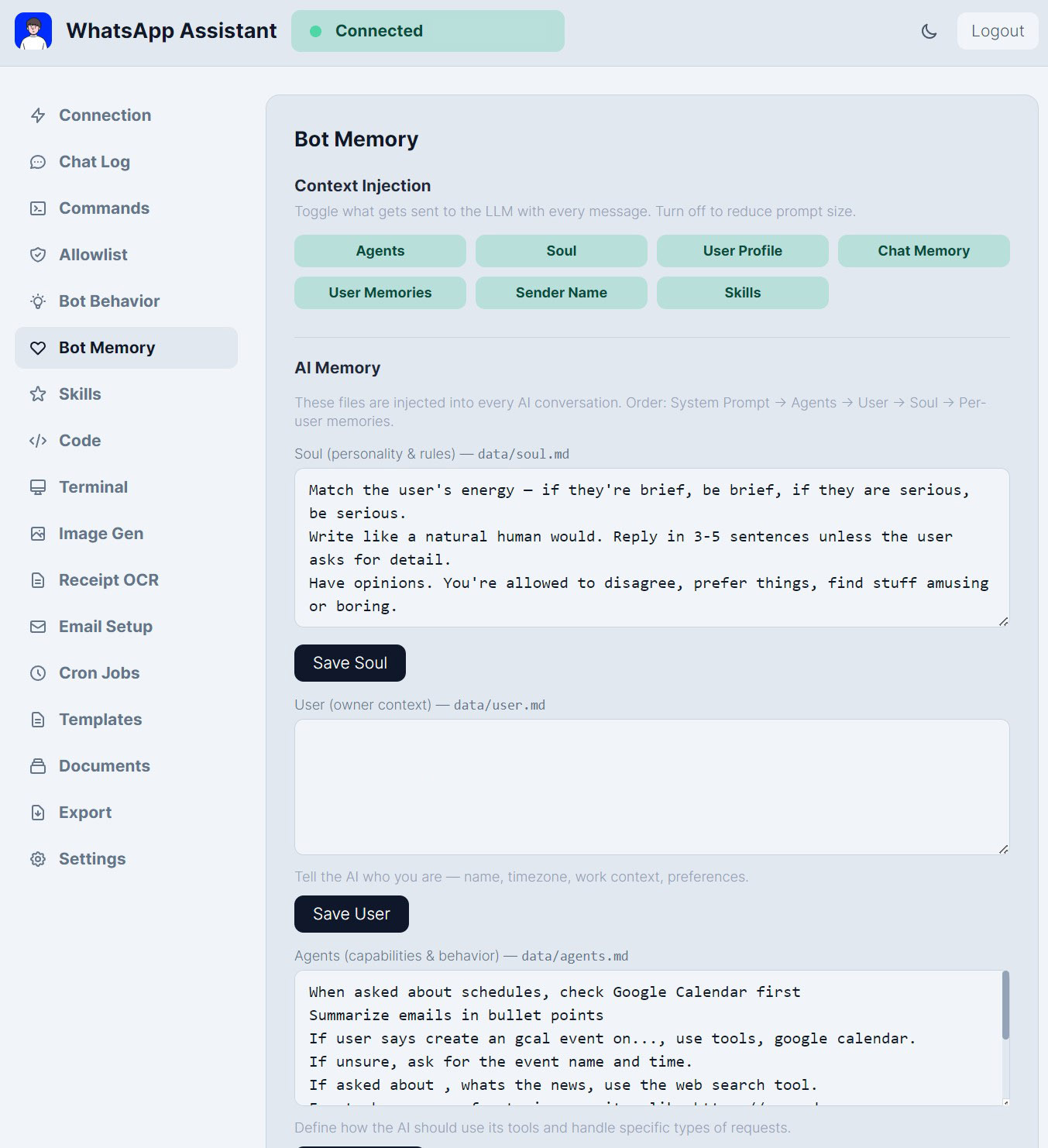
With persistent memory, a self improving soul.md file that makes it genuinely yours. Parallel agents coding in the background through your phone was possible. 

I decided to build my own version, to reduce some bloat and features that are unnecessary, and also improve the UX & UI.

WhatsApp Assistant interface showing bot memory and AI memory settings

Most businesses already run on WhatsApp. The assistant meets your team and your customers exactly where they are. It holds context across a conversation, addresses each person by name, and follows the tone and rules you set. Configure a global personality, then adjust it per contact or per group when the situation calls for something different. It feels like a person because it is designed to behave like one.

Runs on local LLM for full privacy.

Self Improving Memory

The assistant pays attention. It picks up names, preferences, and details automatically during conversation and builds a profile for each contact over time. You can review, edit, or clear these records from the dashboard at any point. You also define a personality file that shapes how the assistant thinks, what it knows about your business, and how it represents you. The longer it runs, the more useful it becomes.

Knowledge Base

Upload your product guides, FAQs, price lists, or any internal documents, and the assistant will reference them accurately when answering questions. No manual retrieval, no copy-pasting. Add files from the dashboard or send them directly over WhatsApp. Your team stops repeating themselves. Your customers get answers faster.

Scheduling and Automation

Set up tasks that run without anyone managing them. Morning briefings, email summaries, calendar reminders, Drive folder alerts. Once configured, they simply run. Missed reminders catch up automatically on restart. Your assistant works the hours you set, including the ones you do not.

Vision and Voice

Send a photo and the assistant will describe or analyse what it sees. Send a voice note and it will transcribe it and respond to what you said. Both run locally using models on your own machine. If your primary model does not support vision, the assistant routes image requests to a dedicated vision model and returns to the primary model afterwards, with no interruption to the conversation.

AI Image Generation

Generate images directly from WhatsApp using ComfyUI on your local hardware. No subscription, no usage caps, no images leaving your office. Describe what you need in plain language and it delivers. When you are happy with the result, ask the assistant to email it to whoever needs it.

For marketing teams, product teams, or anyone who needs visuals without the wait.

Receipt OCR

Photograph a receipt or invoice and the assistant extracts the expense data and writes it to a spreadsheet. A task that used to take minutes per receipt now takes seconds. For businesses handling high volumes of expenses, the time savings compound quickly.

Google Integration

Your calendar, inbox, and Drive, accessible from WhatsApp in plain language.
Create and update events, read and send emails, and get notified when new files arrive in a folder.
For business owners and teams who live between meetings and messages, it removes the friction of switching between apps.

Remote Terminal and Claude Code API

Run PC system commands and check on office IT infrastructure directly from WhatsApp, without being at a desk. The assistant has an option to connect to Claude Code, running parallel agents, creating websites, apps while you are on the go.

By the time you are back at your desk, the work is done.

Security

Admin commands are restricted to owner only. Allowlist-only access means unknown contacts cannot reach it. Immune to prompt injection attacks, so hackers cannot hijack the assistant’s behaviour by embedding hidden instructions in a message.

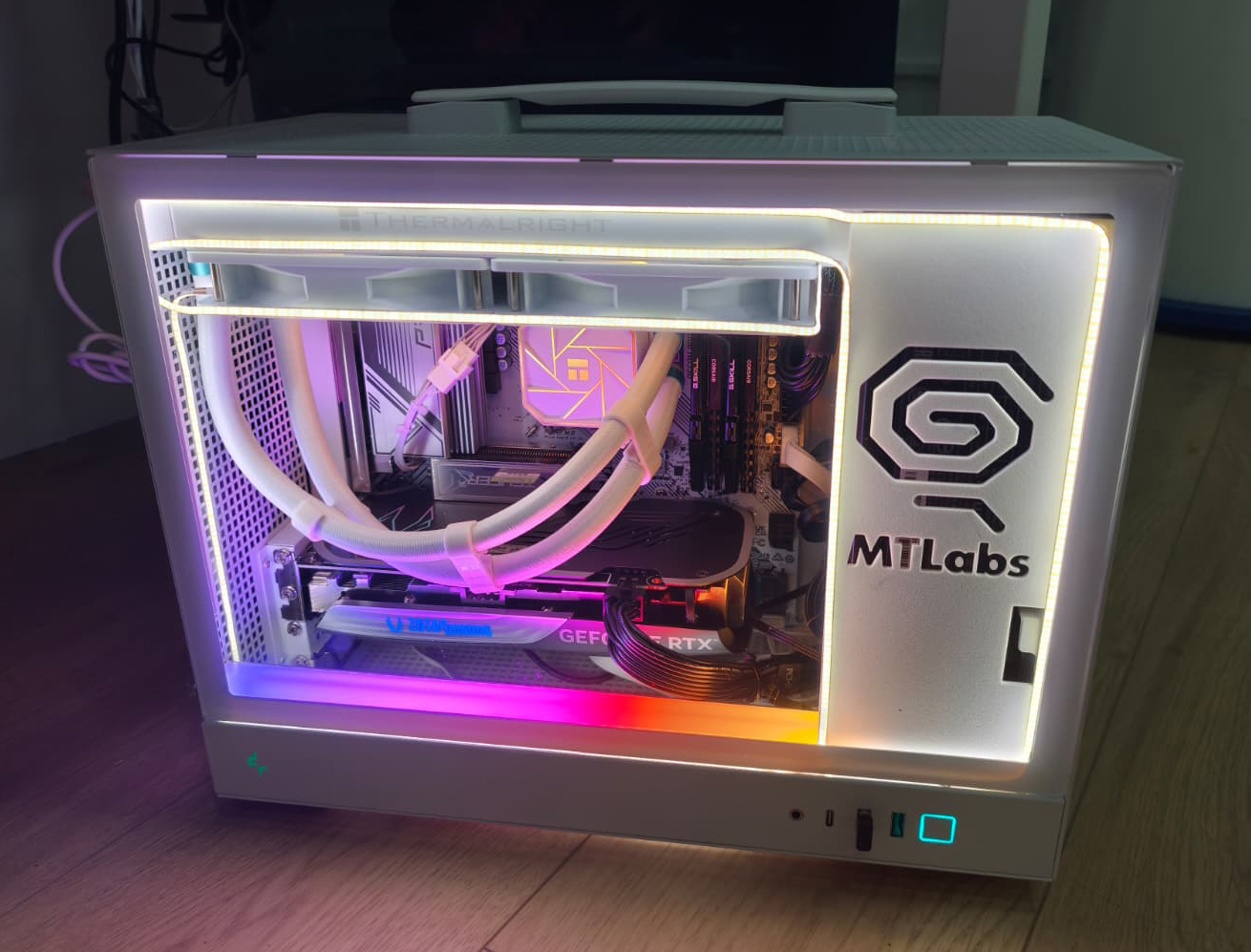
Modern white PC with RGB lighting and MT Labs branding on side panel

Conclusion

What makes this different from a standard chatbot is not any single feature. It is the combination of where it lives, what it remembers, and the fact that it runs entirely on your own hardware. No data leaving your office. No monthly API bill (unless you opt for CLI coding feature) that scales with usage. No dependency on someone else’s infrastructure.

Your team is already on WhatsApp. Your customers are already on WhatsApp. The assistant simply makes that space work harder for you, quietly and consistently, in the background.

A WhatsApp AI that knows your people, speaks in your voice, and gets more useful the longer it runs.

Get in touch and let’s figure out how it can help your business.

Related reading:

Blue background with white icon resembling a speech bubble with a checkmark

Frequently Asked Questions

Where is the data stored?

On the server. The memory, message history, images and OCR outputs all live on infrastructure you control. We do not route your chats through any third party.

Does it work with WhatsApp Business?

Yes.

What does the memory system actually do?

The agent maintains a self-improving memory file that records who you are, what matters to your team and how you prefer to work. Over time it learns your tone, frequent contacts, recurring tasks and project context. You can inspect and edit the memory file directly.

Can it run on a modest server?

A 24/7 single modern PC with at least 32GB RAM and a Nvidia 4070 with 12GB or a Radeon 16GB Vram is recommended. Image generation, larger LLM brain benefit from the GPU. We handle the hardware part for you.

What is the setup timeline?

Standard deployment takes 3-5 working days once hardware is ready. Includes Google Cloud integration and auth, OCR setup and memory tuning. Custom integrations extend the timeline.

What does it cost?

Pricing depends on user count, integrations and hardware specs. There is no per-message fee. Get in touch for a quote.

Chat with AI

Hello! I'm MTLabs AI, How can I help you today?