
07-client-gate-light

Cloud Storage Alternatives: How Singapore Businesses Keep Their Files Private

The usual cloud drives are convenient, but every file on them sits on a server your company does not control, under accounts that are hard to keep track of, on a plan billed per user. The main cloud storage alternatives are a NAS in the office, a privacy-focused provider, and a private cloud on your own server. For Singapore SMEs that handle confidential work, the private cloud is the option that changes the most, and in 2026 it is a practical one.

Ā 

Why businesses start looking for cloud storage alternatives

Most companies we meet did not choose their cloud drive. It arrived with an email account, a laptop, or a staff member who was already using it, and it grew from there. The search for an alternative usually starts with one of five moments.

You are not sure who else can read the file

A file on a consumer cloud drive is readable by the provider. Mainstream terms of service reserve the right to scan content for policy enforcement and to process it for features, and those terms change more often than anyone reads them. The provider’s staff, its automated systems and anyone who compromises the account all sit between you and your own document. For a marketing plan that is fine. For a client contract, a payroll file or an unreleased product design, it is a question your client may one day ask you to answer.

You have lost track of who has access

Sharing on a cloud drive is done link by link and person by person. After two years, a folder has been shared with personal email addresses, a former supplier, an intern who left, and “anyone with the link”. Nobody can list who still has access, and nobody wants to be the one who breaks a link a client is still using. Offboarding a staff member means remembering every folder they were ever added to.

The bill grows with headcount, not with usage

Cloud drives are priced per user, then per storage tier. Adding a freelancer for a month means another seat. Storing last year’s video projects means the next tier. The cost is never large enough to fight, and never small enough to ignore, and it moves in only one direction. We covered the same pattern across the wider software stack in cloud subscriptions versus one private server.

You cannot say where the data is

The PDPA’s transfer limitation obligation makes your organisation responsible for personal data that leaves Singapore. With a consumer cloud drive you often cannot say which country a given file is stored in, or which country its backup is in. Most SMEs never get asked. The ones that do, usually by a larger client’s procurement team, find the question surprisingly hard to answer.

The four cloud storage alternatives, compared honestly

1. A NAS in the office

A network drive on the office LAN is the traditional answer, and for a team that all sits in one room it still works. Files stay on your premises, there is no subscription, and large video files move at local network speed. The weaknesses show up the moment anyone works from home or a client needs a file: remote access on most consumer NAS units is either awkward or opens a port to the internet, and the units have a poor security record when exposed that way. Backup is also entirely your problem.

2. A privacy-focused provider

Several providers now sell cloud storage with end-to-end encryption, clearer terms and European or Swiss hosting. This is a real improvement over a consumer drive and a sensible choice for a very small team. The file is still on someone else’s server, the plan is still per user, and the location is still not Singapore, so the PDPA question moves rather than disappears.

3. A private cloud on your own server

The third option is to run the cloud yourself: a server you control, a sync app on each of your PCs, and a browser page for sharing with people outside the company. The files live on a drive you can point to, nothing is uploaded to the usual cloud services, there is no per-user fee, and the storage limit is the drive. This used to require an IT department. It no longer does, and it is what we build for clients, so the rest of this article is about it.

4. Staying where you are, but tightening it

We will say this plainly: some businesses should keep their cloud drive. If the files are not confidential, the team is three people, and the work never leaves the drive, the right move is an afternoon spent auditing shared links, turning on two-factor authentication and writing an offboarding checklist. Do that first. If it is enough, you have saved a project.

What a private cloud looks like in practice

Our private cloud product is MTCloud. It does the same job as the drive your team uses now, on hardware you control.

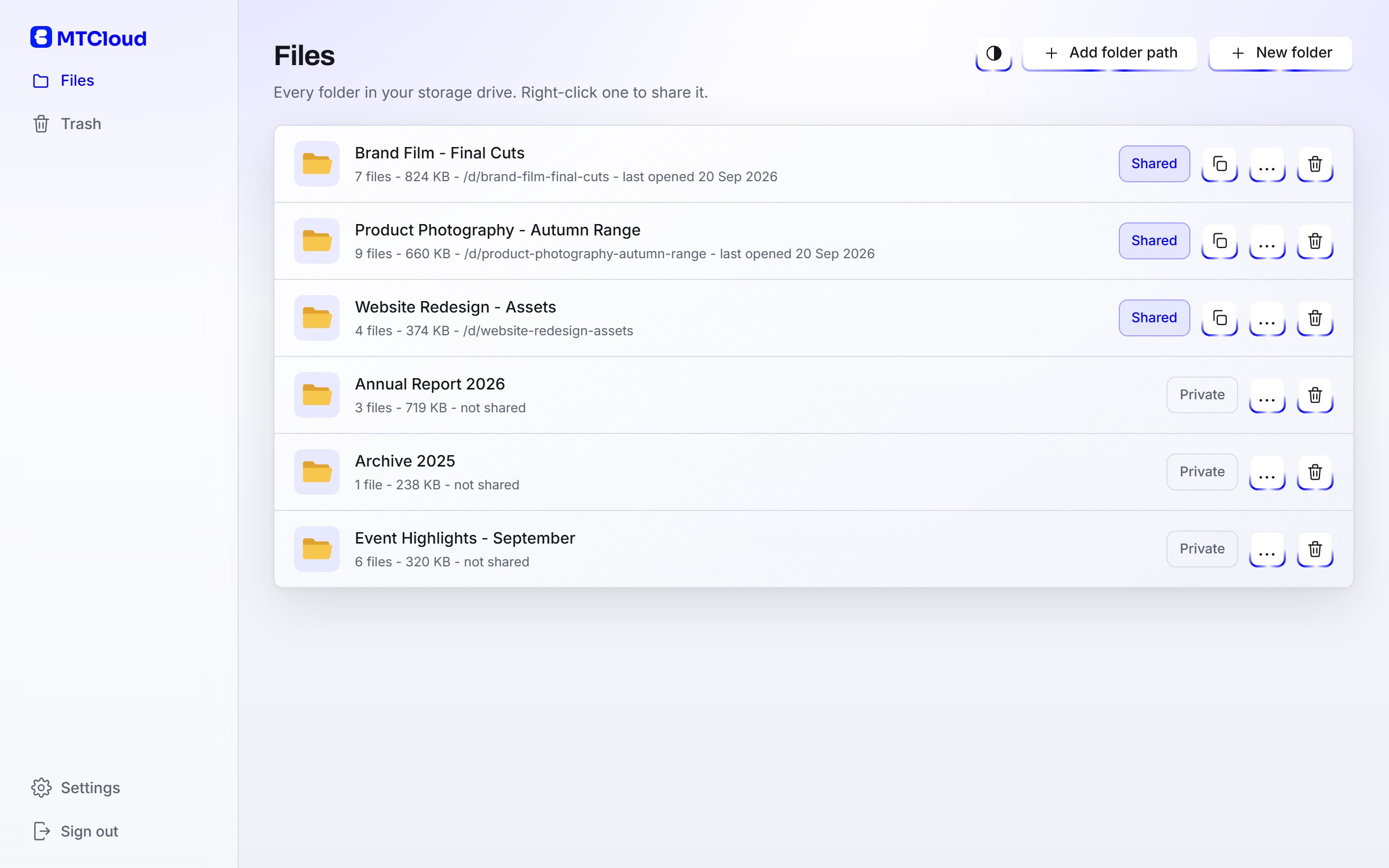
  • The folder is the source of truth. The dashboard shows every folder on the server drive. Copy a file in with File Explorer, or drag it into the browser, and it is there for everyone the folder is shared with. There is no index to fall out of sync and nothing to re-share.
  • Your PCs stay in step. MTCloud Sync is a small Windows app. Choose which folders it follows and where they live on each PC, and both sides stay identical. The office machine, the home laptop and the editing suite work from the same folder.
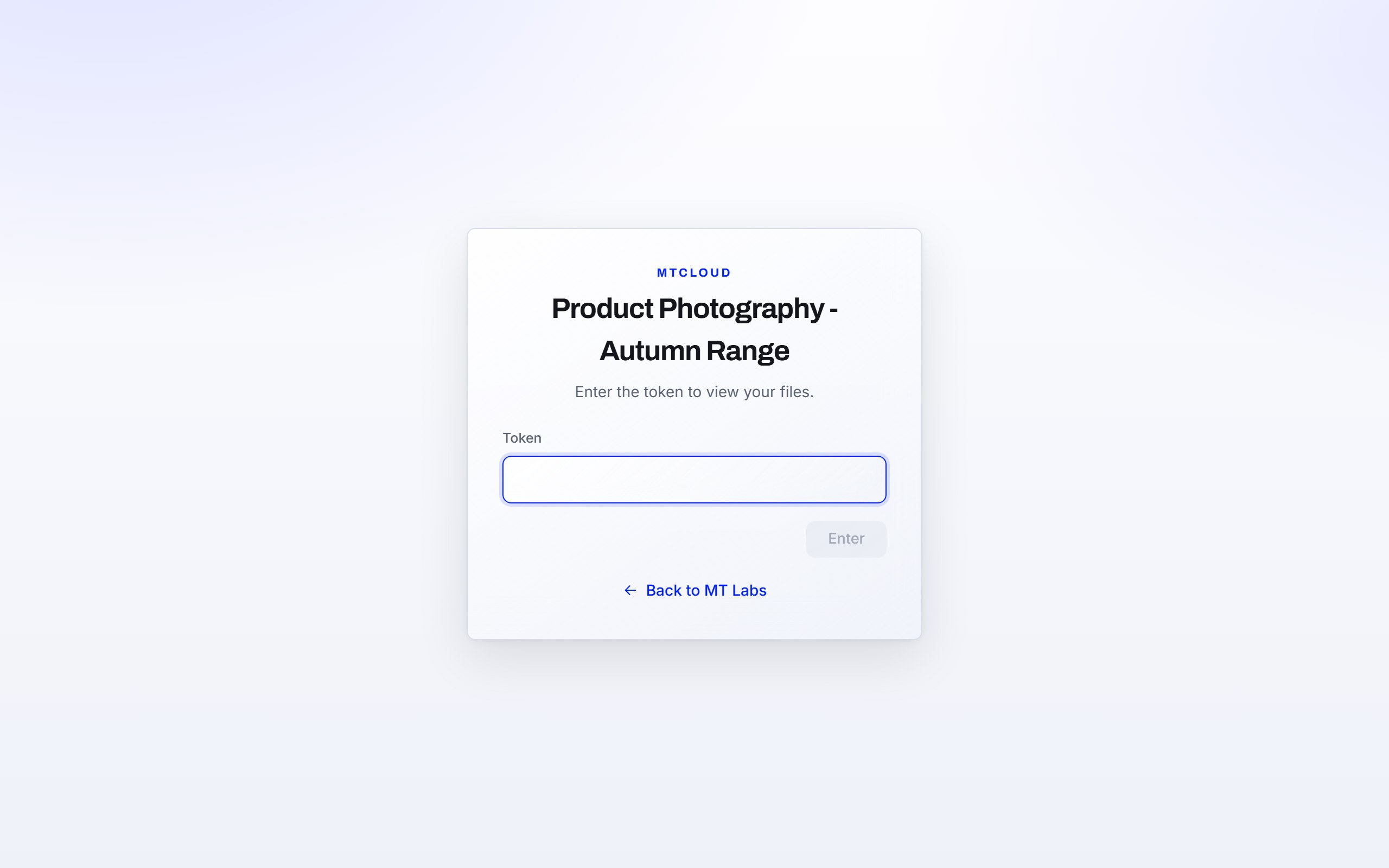
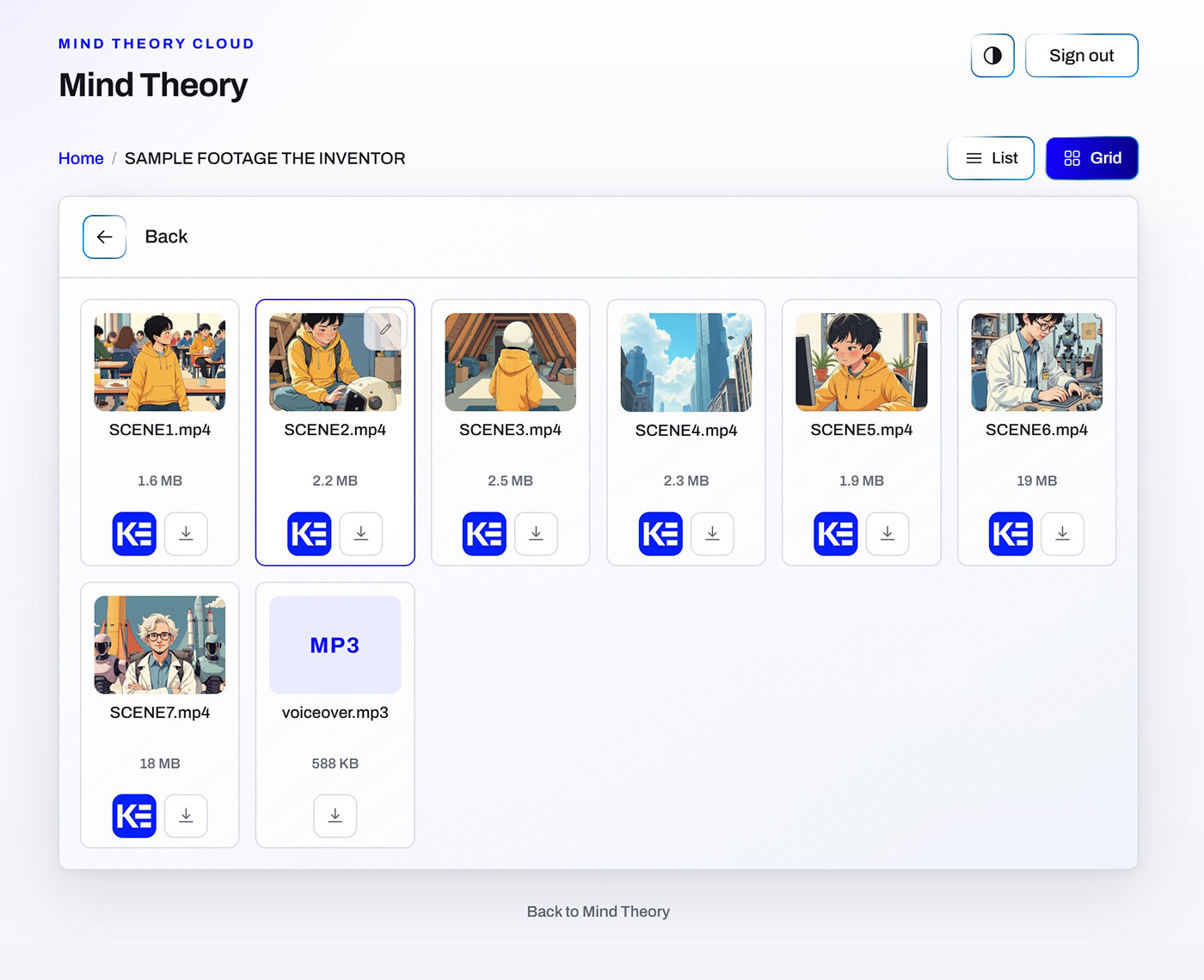
  • Sharing is a link and a password, not an account. Any folder becomes a client delivery in three fields: the heading the client sees, the password and an expiry date. Send the link by email and the password by chat. Anything you add later appears on the client’s page, and closing the delivery takes effect immediately, even for someone who already has it open. Clients can also upload back into the folder when you allow it.
  • Video review is built in. Switch on Kommento for a folder and clients watch the cut in the same page, pin notes to the exact second, draw on the frame and sign it off. We wrote about why that matters for agencies in unlimited video review without a per-seat fee.
  • Locked down by default. Admin sign-in uses two-factor authentication with an authenticator app and recovery codes. Repeated wrong attempts trigger a lockout and an email alert. The admin side only answers on the server itself, and a lost laptop is revoked from the Devices list with one click.

MTCloud runs on the private server we rent to clients, alongside the rest of the MT Labs tool set, or on a machine in your own office. Either way, clients reach their delivery page through a secure tunnel and never touch the server directly. Details of the server itself are on the server plans page.

The shape of a typical deployment

A twelve-person firm with designers, account managers and two freelancers usually arrives with three cloud drive accounts, a storage plan that was upgraded twice, and client footage scattered across personal logins. The deployment takes a week, most of it waiting for files to copy.

Afterwards there is one server, MTCloud Sync on six PCs, a folder per client project, and a delivery link for each one that is open. The freelancers get a link to their project folder with an expiry date instead of a seat. The account managers stop asking designers to “send the latest cut” because the client already has a page for it, and the finance lead gets a storage bill that reads as a drive, bought once, rather than a subscription line that grows every quarter.

The part clients notice is smaller than that: the delivery page has the firm’s name and colour on it, there is nothing to install and no account to create, and the files are still there next month.

How to decide in 10 minutes

4 questions, 

  • Does confidential client or staff data live in the cloud drive today?
  • Can you list everyone who currently has a working link to it?
  • Does the bill go up when you exceed storage or add more people, even for a month?
  • If a client asked which country their files are in, could you answer today?

MT Labs helps companies across Singapore deploy AI tools they actually own. Private infrastructure, no recurring cloud subscriptions, and a setup built around how your team already works. Whether you want your files off the usual cloud drives entirely or want to start with client deliveries and grow from there, we set up the server, the sync and the sharing around how your team already works. Get in touch and we’ll map it out with you.

Blue background with white icon resembling a speech bubble with a checkmark

FAQ

Is cloud storage safe for business files?

Safe against loss, usually yes, because large providers replicate data well. Safe against being read is a different question. A file on a consumer cloud drive is readable by the provider under its terms, by anyone the link was ever shared with, and by anyone who compromises the account. For confidential client, staff or financial files, the safer options keep the file on hardware you control.

Is a consumer cloud drive private?

Not in the strict sense. Mainstream cloud drives reserve the right to scan content for policy enforcement and to process it for features, and access is spread across every link and account the folder was ever shared with. Private means the provider cannot read the file and you can list exactly who can, which is what a private cloud on your own server gives you.

What are the main cloud storage alternatives for a small business?

Four: a NAS on the office network, a privacy-focused provider with end-to-end encryption, a private cloud on a server you control, or keeping your current drive but auditing links, adding two-factor authentication and offboarding properly. Which one fits depends on how confidential the files are and how many people work remotely.

What is the difference between a NAS and a private cloud?

A NAS is a drive on the office network. It is fast in the room but awkward and often insecure to reach from outside. A private cloud such as MTCloud runs on a server you control and adds the things a cloud drive has: a sync app for your PCs, password-protected share links for clients, expiry dates, and two-factor authentication on the admin side.

Does a private cloud help with PDPA compliance in Singapore?

It makes the hard questions easy to answer. Under the PDPA you remain accountable for personal data wherever it goes, including overseas transfers. With a private cloud you can say which machine the file is on, who has a link to it, and when that link expires. That does not replace your own policies, but it removes the part most SMEs cannot answer about a consumer cloud drive.

Can clients download files without creating an account?

Yes. With MTCloud a client receives a link and a password and is in. There is no sign-up and nothing to forget. When you switch on Kommento video review for a folder, an email address is only needed by the people you want to comment on the videos.

How much does a private cloud cost compared with a cloud drive?

A cloud drive is billed per user and per storage tier, so the cost rises with headcount. A private cloud is a server, bought once or rented from us at a flat rate, with no per-user fee and storage limited only by the drive. The right size depends on your team, your file volumes and whether we host it or you do. Drop us an email for more information.

Chat with AI

Hello! I'm MTLabs AI, How can I help you today?