Features

Projecto is an all-in-one workspace that brings project management, a sales CRM, lead finder, email marketing, and a dashboard that tracks revenue, expenses, and profit at a glance into a single app, sharing the same contacts and the same data.

Most teams run their work across separate tools: one app for the project board, another for the pipeline, a third for email, and a spreadsheet for the numbers. None of them talk to each other, so people become the integration, copy-pasting contacts and exporting lists to keep everything in sync.

Projecto removes that gap. Plan the work, manage the pipeline, send the campaign, and track the revenue from one screen, with AI built into every step.

Project Management

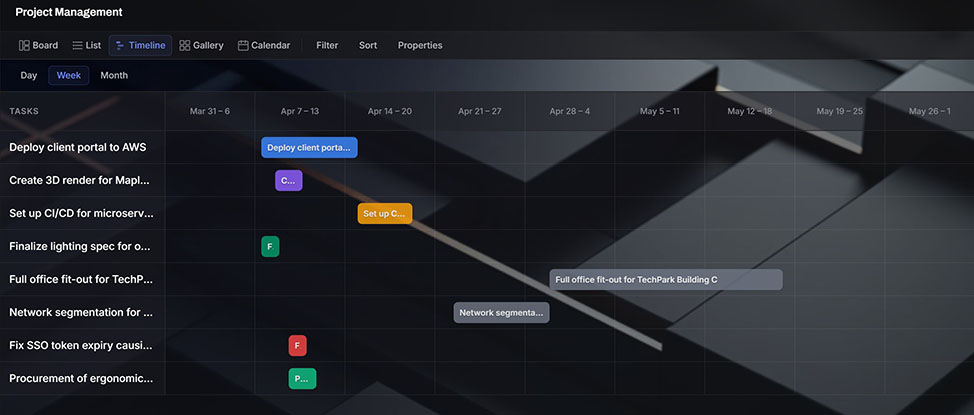
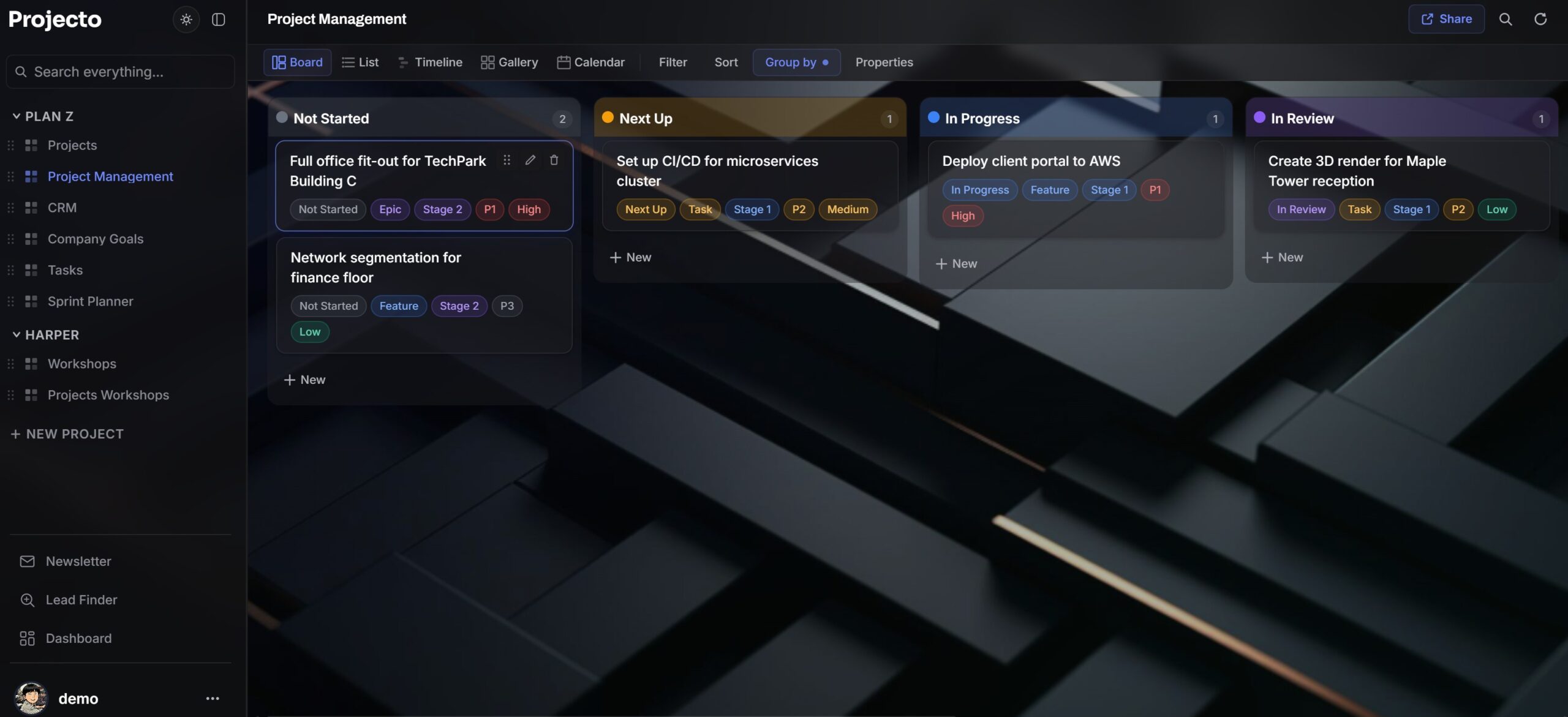
See the same work four ways, and never enter it twice.

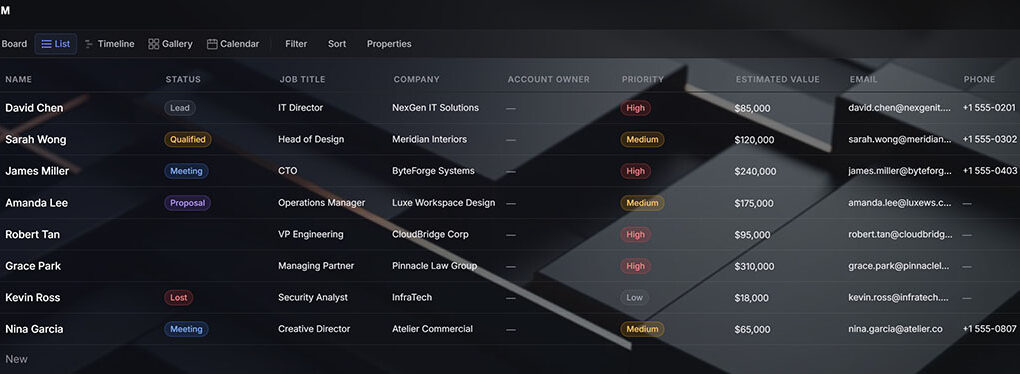
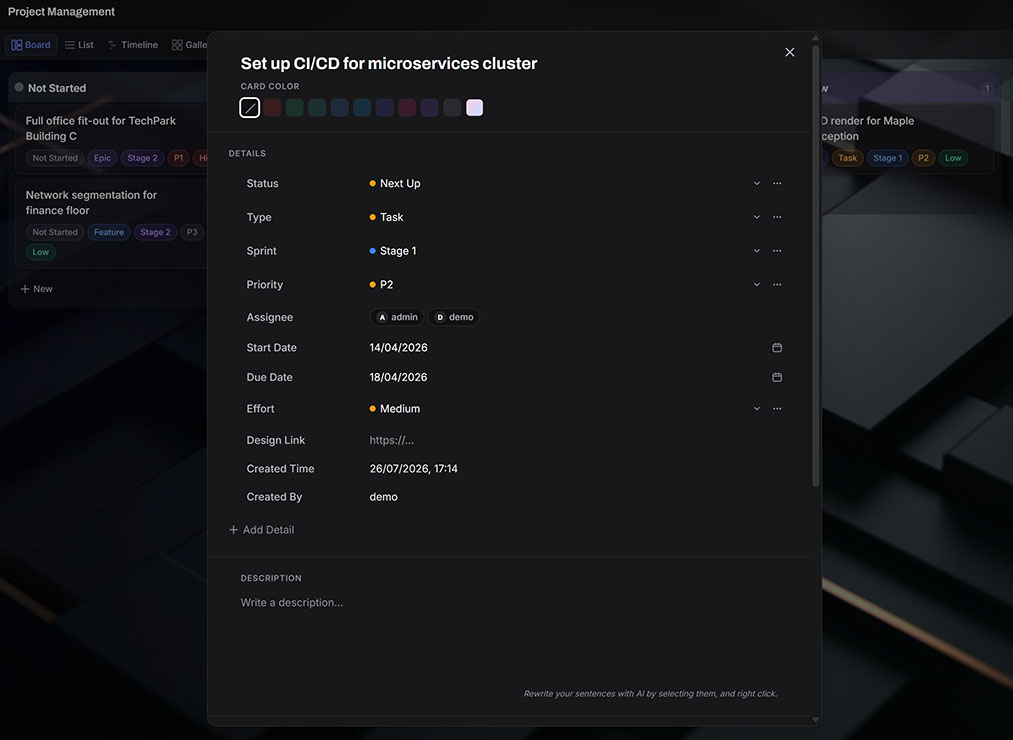
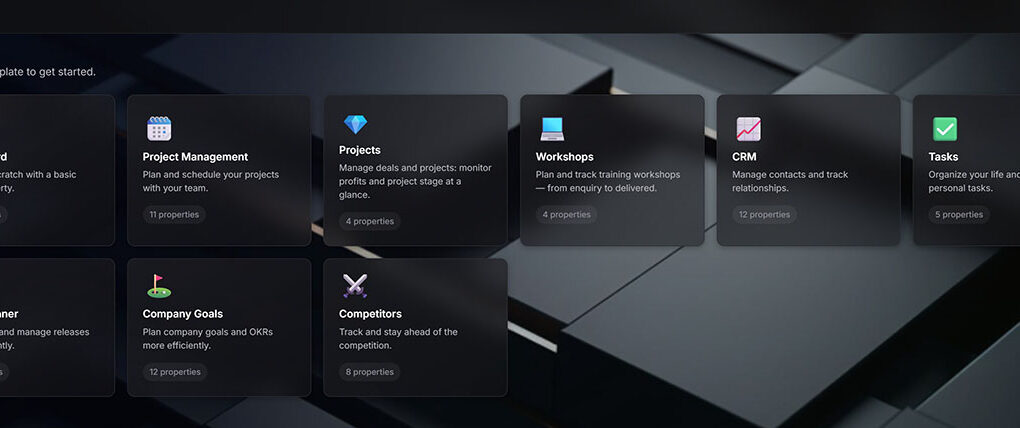
Spin up a board from a ready-made template (project management, deals, sales pipeline, tasks, sprint planner, goals and OKRs, competitive analysis) and switch how you view it in a click:

  • Board for dragging items through stages with smooth, magnetic snap.
  • Table for a fast spreadsheet grid you can sort, resize, and edit inline.
  • Gallery for visual, image-led work.
  • Calendar to lay everything out by date.

Eighteen field types, from dates and people to files, tags, and automatic “last updated” columns, let you keep track of project timelines and schedules, build a sales pipeline, or run a hiring tracker on the same engine. Every card opens into a full document with rich text, checklists, comments, and attachments, ready to share with your team for collaboration. Filter, sort, and group on the fly, and every edit saves itself as you type.

Team Collaboration

Projecto is built for teams, not just individuals. Share any board or project with your teammates, and everyone works from the same live copy. Changes appear as they happen, so there is never a stale version to reconcile or a file to email around.

Assign people to cards, leave comments, and see who changed what. Because every board, contact, and campaign sits on one shared source, the whole team stays in sync automatically, whether they are in the same office or working remotely.

Lead Finder

Leads find their way in, so the team can focus on who is worth pursuing.

  • Lead Finder discovers new prospects for you. Give it a keyword or a target website and it surfaces relevant contacts, then adds the matches straight to your CRM.
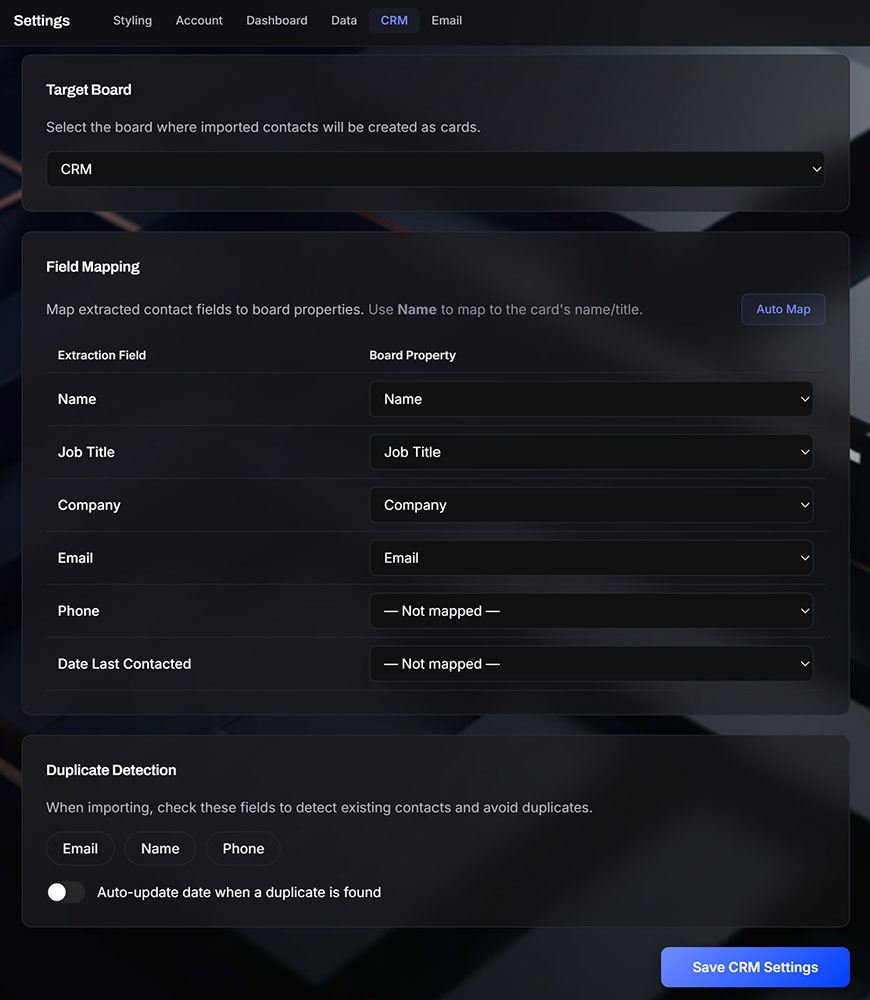
  • Smart one-keystroke capture runs through the Projecto Helper, a lightweight system-tray app. Highlight a name, signature, or bio anywhere on your PC, in an email, a browser, or a chat, press the hotkey, and it pulls out the name, title, company, email, and phone and lands it on a CRM board you choose. No app-switching, no manual copy and paste.
  • Inbox scanning surfaces the people you have been emailing and lets you import the right ones in a couple of clicks.
  • Smart duplicate detection checks email, name, and phone so the same contact never lands twice.

The pipeline fills itself instead of waiting on manual entry.

Newsletter Campaigns

The CRM is the mailing list, so there is only one to maintain.

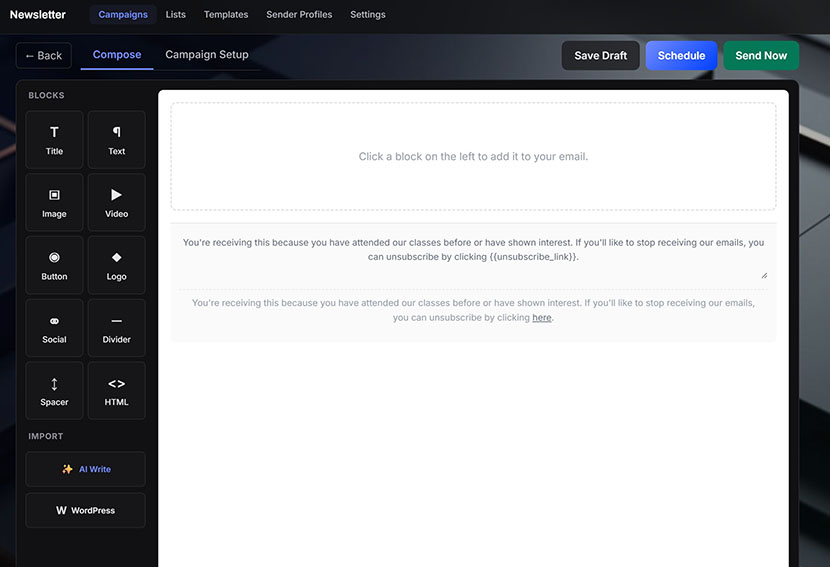
A full drag-and-drop campaign builder lives inside the app. Compose with visual blocks (headings, images, buttons, logos, videos, social links) with no code required, then send straight to any CRM board or saved list.

  • AI drafts the body, suggests subject lines, and rephrases anything you select to read more sharply.
  • Personalise each email with the recipient’s name and company, then schedule the send or preview it on yourself first.
  • Every email includes click tracking, a plain-text version, throttled delivery, and one-click unsubscribe with a global opt-out list, so deliverability stays high and every opt-out is respected automatically.
  • Pull posts from your WordPress page to build newsletter sections in seconds.

Revenue Overview

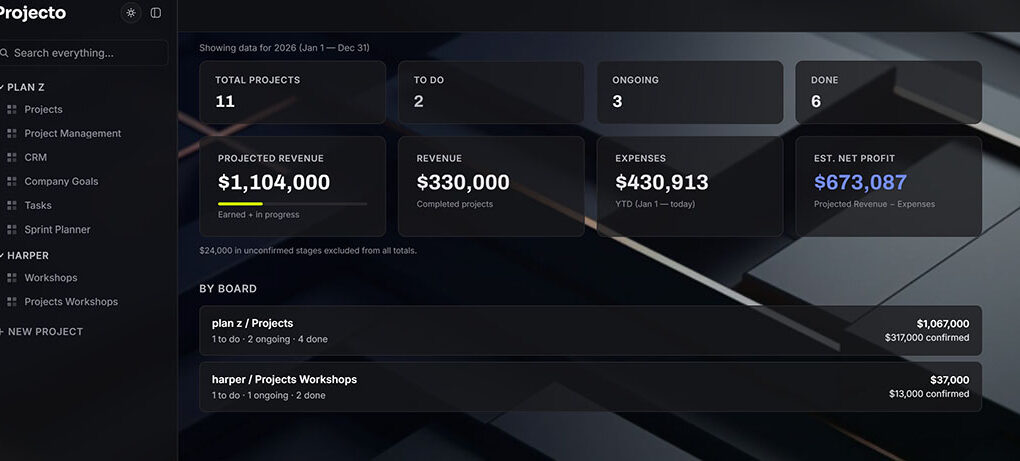
A simple snapshot if a manager wants to see how the team is doing. Approximate revenue, expenses, and profit in one view, updated as the work moves.

See estimated revenue from the active pipeline, confirmed revenue from closed work, expenses, and an estimated profit, all calculated automatically from the work already on your boards. Log recurring costs like rent, utilities, and salaries, and see how each project is contributing to the numbers.

AI Enabled

The same AI runs through every step: capturing contacts, drafting email bodies, suggesting subject lines, and rephrasing text on demand.

On a managed subscription, the AI runs on MT Labs servers, so it works the moment you sign in with nothing to set up. With an Enterprise deployment on your own server, you can run your own local model such as Mistral, GPT OSS, Qwen, or Gemma, so contacts and copy never leave your network. Either way, keys stay server-side and never touch the browser, and the prompts are yours to tune.

Visually Beautiful

Light and dark mode, your background wallpaper, your own accent colour, and your choice of fonts and sizes, set once and applied live across the app. The glassmorphism interface looks premium out of the box, the kind of calm, focused surface a team is happy to open every morning.

The interface stays out of your way. No unnecessary bloat, no buried menus, no features you will never touch, just the tools you actually use, where you expect to find them. New team members get productive in an afternoon, not a quarter.

Your Data, Your Way

Projecto runs as a managed subscription service, or Enterprise deployment onto your own infrastructure when a team wants full privacy of where its contacts, campaigns, and files live. Role-based access keeps each board visible only to the people who should see it, and a full export is a single file, so the data is always yours to take with you.

Projecto puts the whole working day on one screen: the plan, the pipeline, the outreach, and the numbers, connected by a single shared contact list and supported by AI throughout.

To see Projecto in action, visit projectoapp.mt-labs.net using user:demo pw:demodemo

Arrange a demo with us today.

FAQ

What is Projecto?

Projecto is an all-in-one workspace that brings project management, a sales CRM, a lead finder, email marketing, and a live revenue dashboard into a single app. Every part shares the same contacts and the same data, so your team plans work, fills the pipeline, sends campaigns, and tracks the numbers from one screen.

How does Projecto find and capture leads?

The built-in Lead Finder surfaces new prospects from a keyword or a target website and adds the matches straight to your CRM. A one-keystroke capture tool called the Projecto Helper pulls a name, title, company, email, and phone from anything you highlight on your PC, and inbox scanning imports the people you have already been emailing. Smart duplicate detection keeps the same contact from landing twice.

Can I keep my data private or run Projecto on my own server?

Yes. Projecto runs as a managed subscription on MT Labs servers, or as an Enterprise deployment on your own infrastructure. On your own server you can run a local AI model such as Mistral, Qwen, or Gemma, so contacts and copy never leave your network. Keys stay server-side, role-based access limits who sees each board, and a full export is a single file you can take with you at any time.

Does Projecto include email marketing?

Yes. A drag-and-drop campaign builder lives inside the app, so your CRM is also your mailing list. Compose with visual blocks, let the AI draft the body and suggest subject lines, personalise each email, and send straight to any CRM board. Every email includes click tracking, a plain-text version, and one-click unsubscribe with a global opt-out list.

What kinds of work can I manage in Projecto?

You can run project management, a sales pipeline, tasks, sprint planning, goals and OKRs, or a hiring tracker on the same engine. See any board four ways, as a board, table, gallery, or calendar, and use eighteen field types to fit the work. Every card opens into a full document with rich text, checklists, comments, and attachments.

How do I get Projecto for my team?

Get in touch and we will set everything up for you, whether you want a managed subscription or a private deployment on your own server.