Features

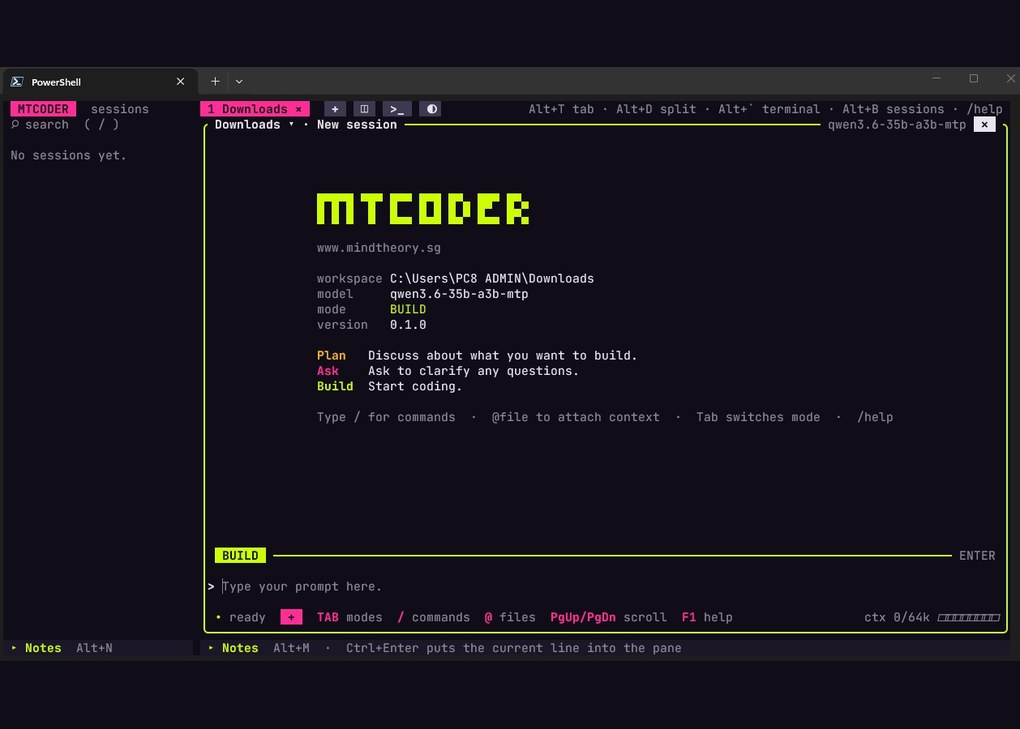
MTCoder is a coding harness built by MT Labs. It wraps an AI model with the tools to read, edit and run code, and lets one developer run several coding sessions side by side in split panes, each on its own project. It is tuned for local models running on your own PC, so source code never has to leave the building.

Most AI coding agents give you one chat in one window, and they assume a large cloud model sits behind it. That suits a single task. It suits a working day less well, where one feature is being planned, another is being built and a third is waiting for a decision.

MTCoder is built the other way round: many sessions at once, on the model running on your own hardware. Every past session is saved to the sidebar, every pane has its own mode and model, and the safety rules are enforced in code rather than left to the prompt.

Optimised For Local Models

MTCoder is designed for Qwen3.8 Flash Next 125B, 35B-A3B and 27B running on a local model server. Nothing is sent to an outside cloud provider.

When a task needs frontier intelligence, /connect adds a cloud provider to a single pane, and /model and /provider switch it per pane. A team can keep confidential repositories on the local model and send open work to a larger one, in the same window.

Split Panes, Concurrent Sessions

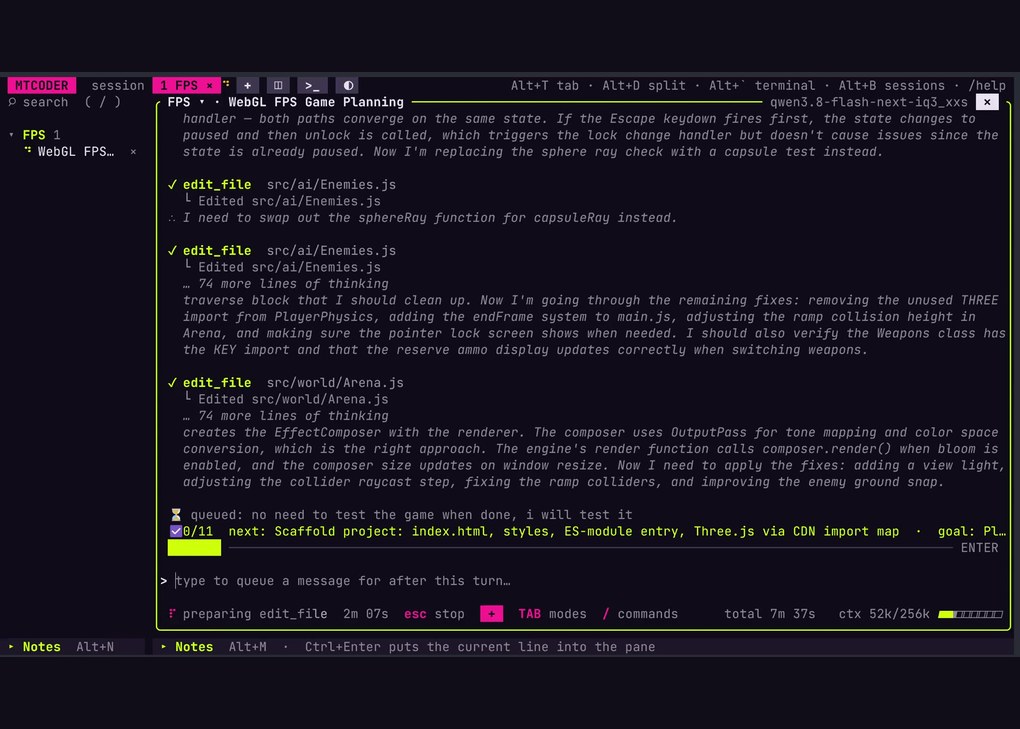
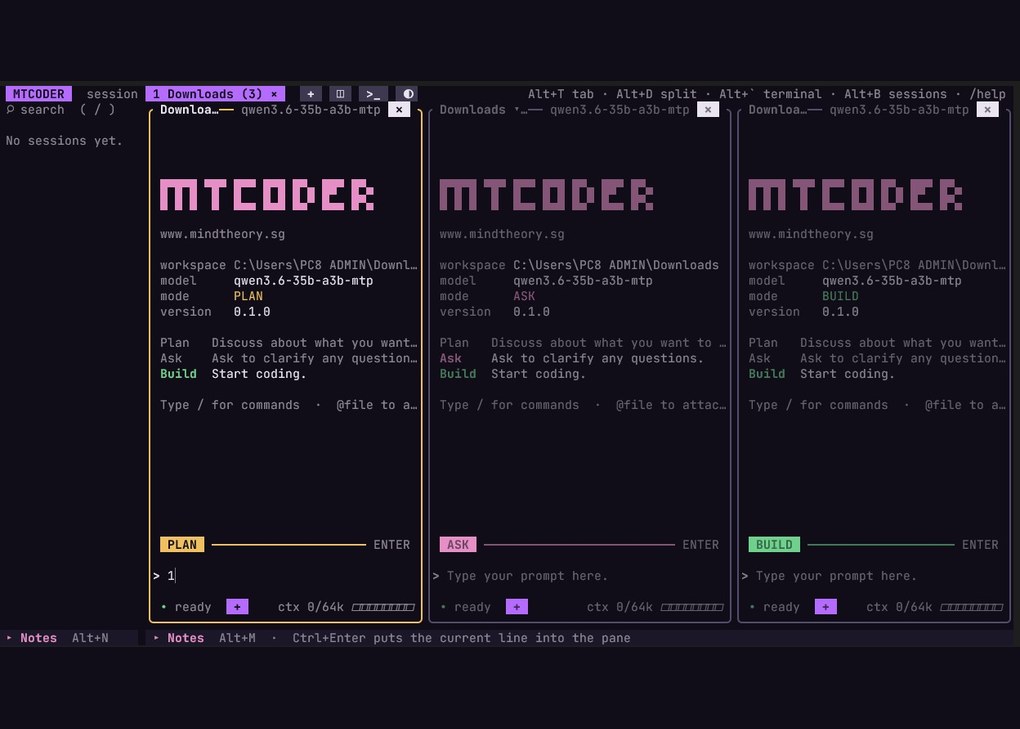
Every pane is its own project folder with its own agent, model and mode. Split right with Alt+D, split down with Alt+E, and open a new tab with Alt+T. Plan one feature while another pane builds and a third waits for approval. A terminal pane sits beside the agent when you want to run something yourself.

The pane you are typing in lights up and the rest dim. A pane waiting for a yes blinks, so nothing stalls unnoticed while your attention is elsewhere.

Plan, Ask, Build

Each pane has its own mode, and Tab switches it. PLAN reads the code and plans, but changes nothing. ASK asks before every file change or command. BUILD gets on with the work.

The rules are enforced in code, not only in the prompt, so a model that ignores its instructions still cannot cross them. In every mode, wiping drives and reading key files is always refused.

Every Session, In The Sidebar

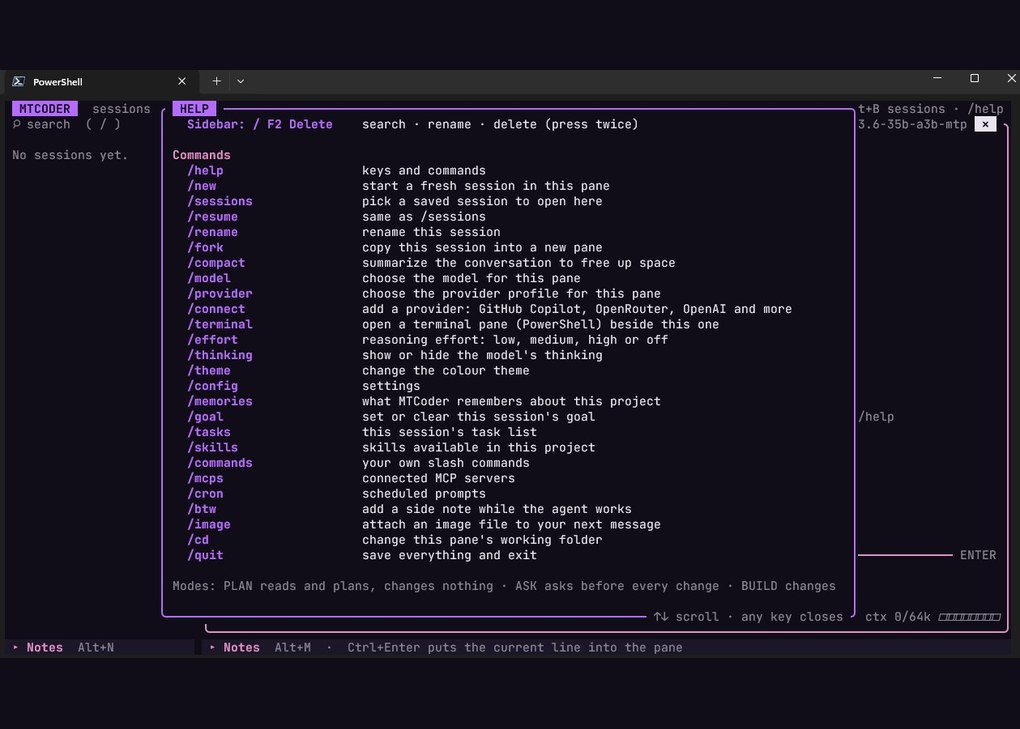
Sessions are saved automatically and listed in the sidebar, grouped by project folder. Search them, rename them, pick one up again with /resume, or copy one into a new pane with /fork to try a different approach without losing the original. /compact summarises a long conversation to free up context.

Memories keep each project’s facts and decisions, so a new session starts knowing what the last one learned.

Goals, Tasks And Notes

/goal pins what a session is working towards, and /tasks keeps its checklist visible at the bottom of the pane. /cron runs prompts on a schedule. /btw slips in a side note without stopping the agent, and anything typed while it works is queued for the next turn.

Quick Notes in the sidebar and a Notes bar along the bottom hold the prompts you use often. Ctrl+Enter drops a line straight into the pane.

Skills, Commands And MCP Servers

MTCoder reads the skills, custom slash commands and MCP servers you give it, per project. Attach a screenshot with /image, set reasoning effort with /effort, and show or hide the model’s thinking. Seven colour themes are built in.

A Portable Folder

MTCoder runs on Windows and Linux, and ships as a ready-to-run folder. Unzip it, run the setup script once, then launch it. There is no installer, no admin rights and nothing else to install. Settings, chats and notes live in one home folder, so copying the folder moves everything to another PC.

MTCoder gives a developer several AI coding sessions at once, on a model they control, with every session kept and every change governed by rules the model cannot talk its way past. It is designed and built in Singapore by MT Labs.

See MTCoder at mindtheory.sg/apps/mtcoder, or get in touch to talk about running it on your own AI server.

Arrange a demo with us today.

FAQ

What is MTCoder?

MTCoder is an AI coding harness built by MT Labs. It gives an AI model the tools to read, edit and run code, and lets you run several coding sessions side by side in split panes, each on its own project folder with its own model and mode.

Does MTCoder need a cloud AI model or an API key?

No. MTCoder is tuned for local models such as Qwen 3.6 35B-A3B and 27B running on your own PC, with no API key and no account. If a task needs more power, the /connect command adds a cloud provider to a single pane, and every other pane can stay local.

Can MTCoder change files without asking?

Only if you let it. Each pane has a mode: PLAN reads and plans but changes nothing, ASK asks before every file change or command, and BUILD works on its own. The rules are enforced in code rather than in the prompt, and wiping drives or reading key files is refused in every mode.

How many coding sessions can run at once?

As many panes as fit on your screen. Split right with Alt+D, split down with Alt+E and open new tabs with Alt+T. The active pane lights up, and a pane waiting for approval blinks so nothing stalls unnoticed.

Are past sessions saved?

Yes. Every session is saved automatically and listed in the sidebar by project folder. You can search, rename, resume or fork any of them, and project memories carry facts and decisions into new sessions.

What do I need to install to run MTCoder?

Nothing beyond the folder itself. MTCoder runs on Windows and Linux and ships as a ready-to-run folder: unzip it, run the setup script once, then launch it. There is no installer and no admin rights are needed, and copying the folder moves all settings, chats and notes to another PC.

Can my team run MTCoder on our own AI server?

Yes. MTCoder works with a model running on the same PC or on a private AI server on your network, so source code stays on hardware you control. Get in touch and we will set it up around how your team already works.